


































































































































































Make sparkling eyes in the video


How to use the service “Eye sparkle”
The RetouchMe application is available on iOS and Android platforms. You can download it from the Apple App Store, Google Play or Amazon App Store.
- Launch or download the RetouchMe application.
- Select a photo from your gallery that you want to use the “Eye sparkle” service on.
- Choose the category “Video”.
- In this category, select the desired service “Eye sparkle”.
- Price of the “Eye sparkle” service: 170 ⭐.
- After selecting the services you want to use for the video, click on the "Proceed" button.
- Review your order once again and click "Send to designer."
Join tens of millions of our satisfied customers from 175 countries.
Pros and cons of "Eye sparkle" service in video editor
 RetouchMe
|
Free Video Editor | Online Video Editor | AI Video Editor | |
|---|---|---|---|---|
| Difficulty of use |
Simple
RetouchMe allows you to press one or multiple buttons to achieve great results with the "Eye sparkle" service.
|
Difficult
Free Video Editor requires a lot of time and professional skills to achieve the expected results with the "Eye sparkle" service.
|
Simple
Online Video Editor allows you to press one or multiple buttons to achieve great results with the "Eye sparkle" service.
|
Simple
AI Video Editor allows you to press one or multiple buttons to achieve great results with the "Eye sparkle" service.
|
| Retouching quality |
Excellent
RetouchMe allows you to achieve excellent retouching results with the "Eye sparkle" service.
|
Bad
Free Video Editor does not allow you to achieve good retouching results with the "Eye sparkle" service.
|
Bad
Online Video Editor does not allow you to achieve good retouching results with the "Eye sparkle" service.
|
Good
AI Video Editor allows you to achieve good retouching results with the "Eye sparkle" service.
|
| Time to edit |
Fast
RetouchMe allows you to spend 3-5 minutes on editing for the "Eye sparkle" service.
|
Slow
Free Video Editor does not allow for quick editing of the "Eye sparkle" service.
|
Medium
Online Video Editor allows you to spend 5-10 minutes on editing for the "Eye sparkle" service.
|
Fastest
AI Video Editor allows you to spend less than 1 minute on editing for the "Eye sparkle" service.
|
| Naturalness |
Excellent
RetouchMe allows you to achieve a fully aesthetic result with the "Eye sparkle" service.
|
Bad
Free Video Editor does not allow you to achieve a naturally acceptable result with the "Eye sparkle" service.
|
Bad
Online Video Editor does not allow you to achieve a naturally acceptable result with the "Eye sparkle" service.
|
Unreliable
AI Video Editor gives an unpredictable result in terms of naturalness for the "Eye sparkle" service.
|
- Sparkle Eyes with RetouchMe Video
- Standout Features of the Eye Sparkle Video app
- How to Get Sparkly Eyes with RetouchMe
- Personalized Editing by Professional Editors
- Fast, Detailed Eye Enhancements
- Compatibility Across All Devices
- Privacy and Dedicated Customer Support
Sparkle Eyes with RetouchMe Video
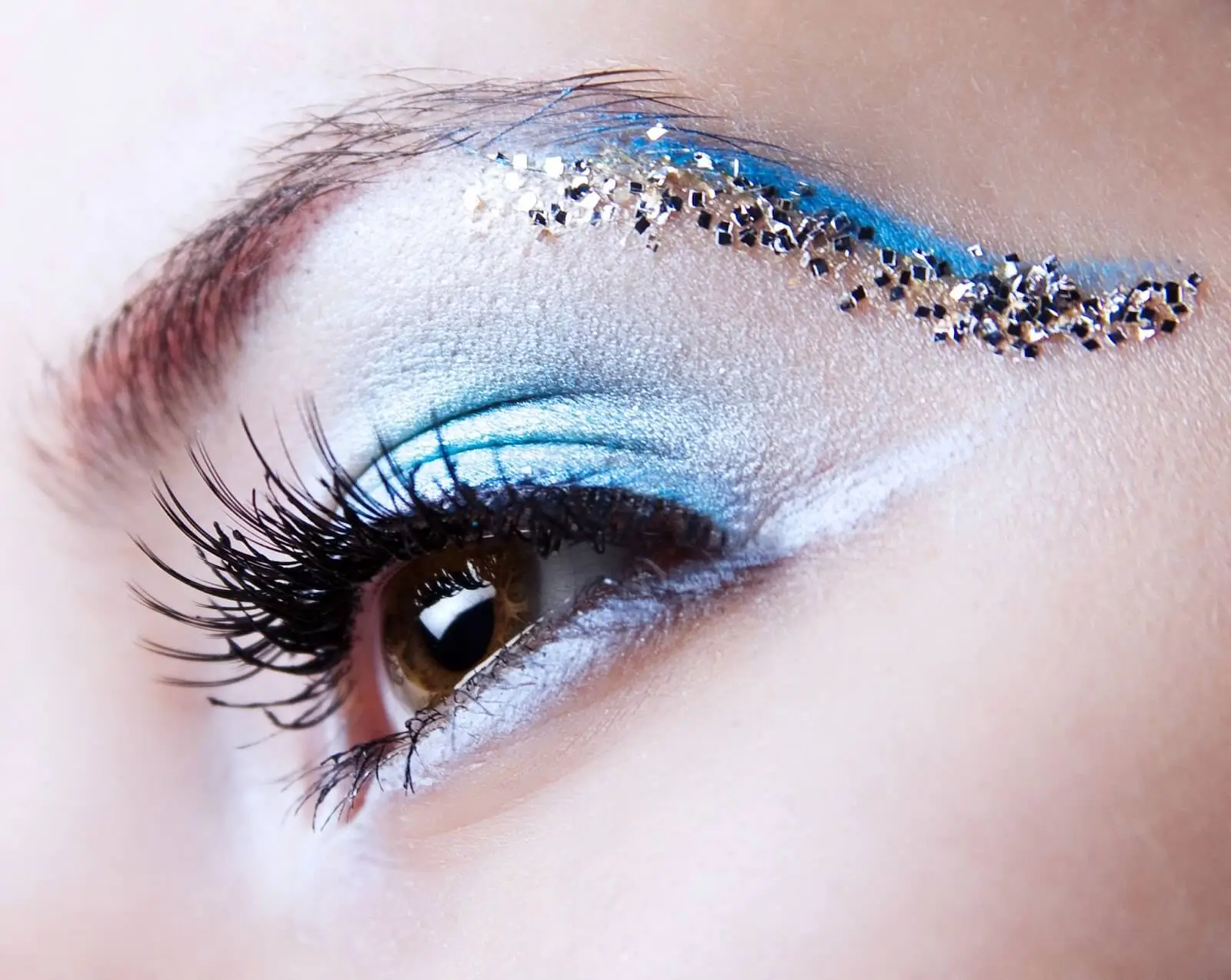
RetouchMe’s Eye Sparkle video editing service takes eye enhancement to new heights by adding subtle contrast and definition to your eyes, resulting in a captivating sparkle effect. With each frame carefully adjusted, this service emphasizes the natural beauty of your eyes, adding an enchanting glimmer that blends seamlessly with the rest of the face. Let us see how to get shiny eyes with RetouchMe and the app features!

Standout Features of the Eye Sparkle Video app
Unlike basic editing filters, RetouchMe’s Eye Sparkle service is a manual enhancement done by professional editors. This service doesn’t simply increase brightness but rather adds a balanced level of contrast and sharpness, making the eyes look brighter, clearer, and more engaging. Here’s what makes our Eye Sparkle service an ideal choice for video editing:
- Precision Editing for Natural Results: Our experienced editors manually enhance each frame, adding subtle highlights and reflections to the eyes without causing them to overpower the face. This delicate approach ensures the sparkle effect looks realistic and flattering, blending perfectly with the natural contours of the eyes.
- Enhanced Eye Contrast: By increasing contrast specifically in the eye area, RetouchMe adds definition and clarity, enhancing eye depth without altering other facial details. This method brings focus to the eyes naturally, creating a radiant effect that’s balanced and non-intrusive.
- Device Compatibility: Our Eye Sparkle service works seamlessly on both iOS and Android devices. Whether you’re editing from an iPad, iPhone, or Android phone, you can apply this professional-level enhancement on any video you upload, all from the convenience of the RetouchMe app.
- Fast, Professional Results: RetouchMe connects you with a team of skilled editors who work quickly to deliver quality results. Unlike automated video filters that can look overly artificial, the manual approach taken by our editors adds a more nuanced and realistic finish to each frame, ensuring that your eyes sparkle naturally within a short timeframe.

How to Get Sparkly Eyes with RetouchMe
Creating a glistering eyes effect in videos has never been simpler. To get started, navigate to the ‘Video’ category within RetouchMe, where you’ll find the Eye Sparkle option. Just select the video you want to enhance, apply the effect, and our editors will do the rest, making sure each frame is refined with professional care. With a few easy steps, you’ll see a dramatic improvement in the overall quality and charm of your video’s eye area.
Personalized Editing by Professional Editors
RetouchMe stands apart by connecting users to skilled editors who handle every aspect of the video enhancement process. This personal touch is what makes the Eye Sparkle effect look sophisticated, as our team carefully enhances the eyes in each frame, ensuring an even and realistic sparkle that’s both subtle and noticeable.

AI filters can often miss the small details that make a real difference in eye enhancements, leading to an effect that can feel overdone or artificial. With RetouchMe, every frame is meticulously adjusted by experts who understand how to highlight the eyes naturally, delivering professional results that enhance rather than distract.
Fast, Detailed Eye Enhancements
One of RetouchMe’s key advantages is the balance between speed and quality. Our Eye Sparkle video service typically requires only a few minutes per video, allowing you to enjoy professional results without delay. Whether your video is short or lengthy, our editors apply their expertise efficiently, ensuring that the sparkle effect is distributed evenly and looks cohesive throughout the video.

With RetouchMe’s large team of editors, we’re able to handle multiple videos simultaneously, delivering fast results without compromising on quality. This approach means you get the attention to detail you expect, even on a tight schedule.
Compatibility Across All Devices
RetouchMe’s compatibility across devices makes professional-level video enhancement accessible from anywhere, whether you’re editing on a smartphone, tablet, or other device. There’s no need for additional equipment or complex software – RetouchMe brings the best in video editing straight to your device, giving you flexibility and ease of access for all your editing needs. Download the app from the App Store for iOS or Google Play for Android to get your anime sparkle eyes look.
Privacy and Dedicated Customer Support
RetouchMe takes your privacy seriously. Each video you upload is securely protected, and all files are deleted from our system immediately after your editing request is completed. RetouchMe ensures that your data is never shared with third parties, providing you with a safe and private editing experience.

Additionally, RetouchMe’s 24/7 customer support team is always ready to assist with any questions or concerns. Whether you’re seeking help with an order, need guidance on using the app, or have feedback on your experience, our support team is available to make sure you have the assistance you need. Our commitment to ongoing improvement ensures that RetouchMe remains a top choice for personalized video enhancements.